
This guide helps you understand the fundamentals of the Android Automotive OS (AAOS) software defined vehicle (SDV).
Understand the AAOS SDV platform
Before you start developing, learn the core concepts and architecture:
- AAOS SDV system architecture: Learn about the overall design and components of the AAOS SDV platform.
- Platform integration guides: Understand how different parts of the platform connect and interact.
- Android basics: Refer to the Android Open Source Project documentation for a foundation in Android development.
Develop with AAOS SDV
These sections guide you through setup, service development, and specific solutions.
Start developing
Set up your environment and learn the basic build process:
- Development environment: Compare a prebuilt cloud workstation on Google Cloud Workstations (about 30 minutes) and a local or self-managed Ubuntu Linux checkout.
- Cloud development: Launch a prebuilt Android 17 dual-VM Display Safety Cuttlefish workstation on Google Cloud Workstations without compiling AOSP locally, with an optional one-command CARLA simulator installer.
- Code location: Learn how and where to access the code.
- Download, build, and run: Get the code, compile it, and run a virtual AAOS SDV target.
- Set up an IDE for SDV development: Use Android Studio for Platform to develop AAOS SDV.
AAOS SDV service development
Learn how to build services and work with samples:
- Service bundle development: Create services for the AAOS SDV platform.
- SDV core samples: Explore sample code to understand core functionalities.
Solution-specific guides
Build specific solutions on AAOS SDV:
- Get started with Display Safety: Learn how to implement and work with the Display Safety solution.
The following figure shows the Display Safety full cluster:
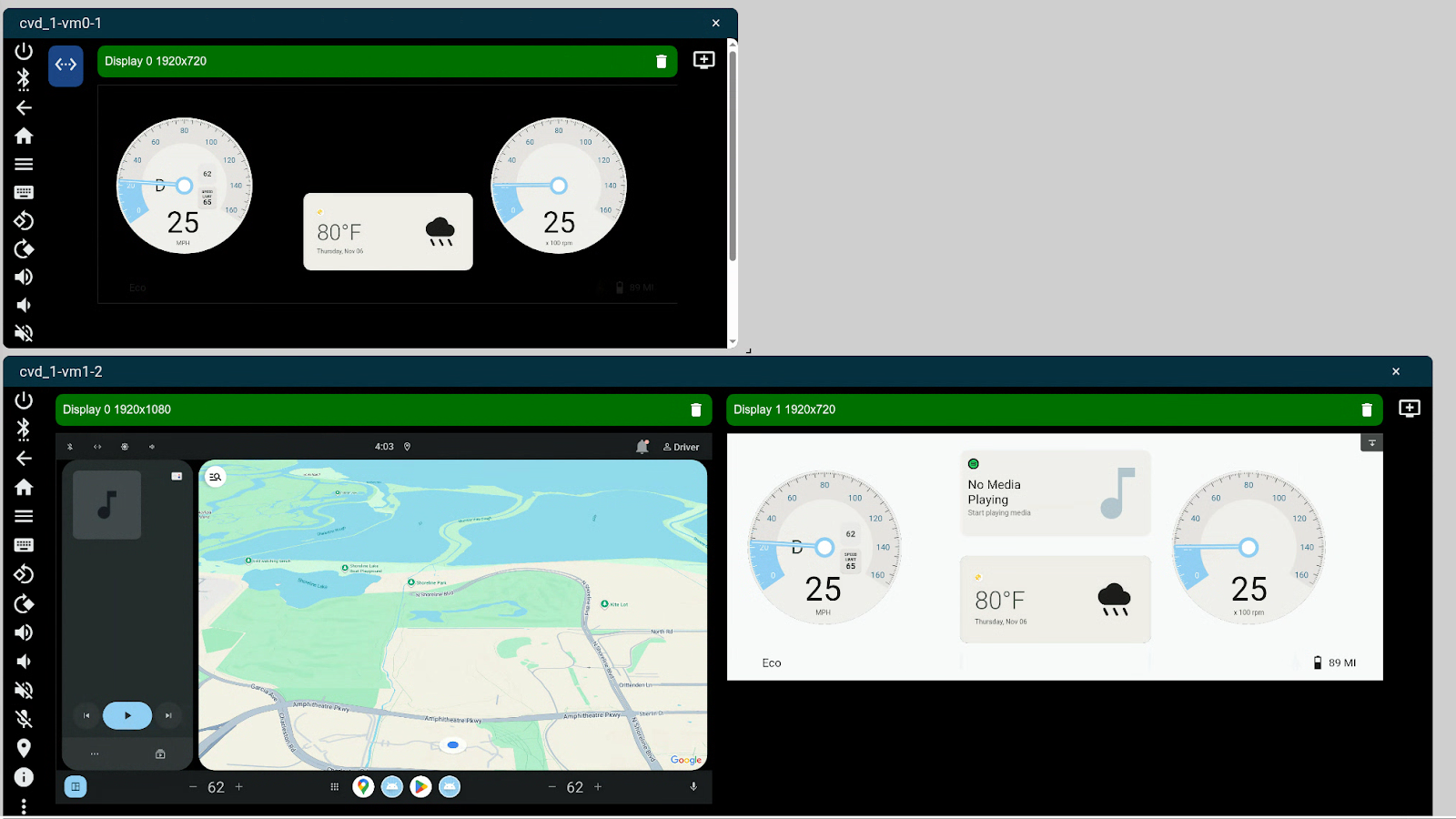
Figure 1. Display Safety full cluster with SDV Media and SDV IVI VM.